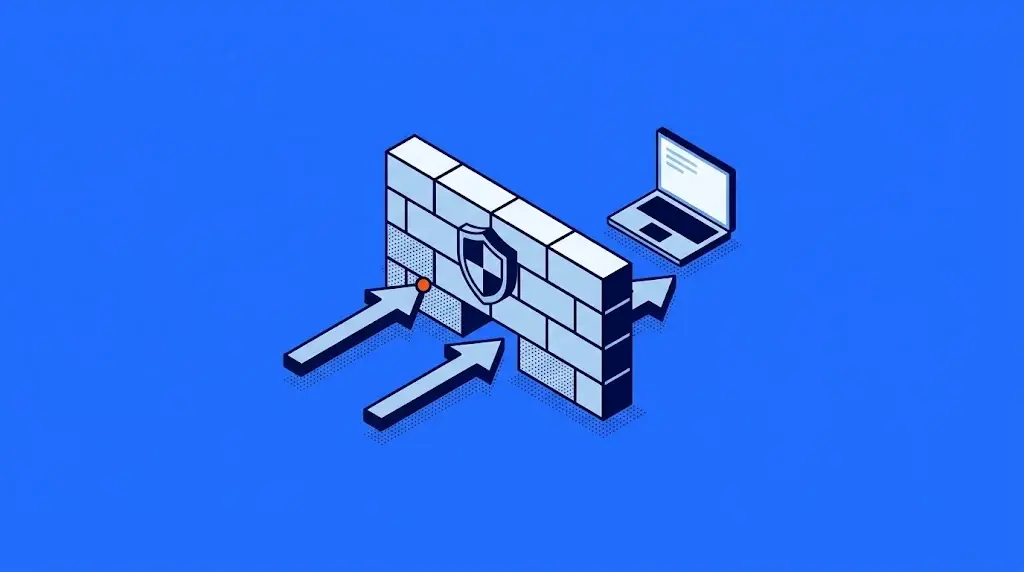
A firewall is a security system that inspects everything coming into and going out of your network and decides what gets through based on the rules you set. Think of it as your company's access control, only digital: whoever is authorized gets in, and whoever isn't stays outside.
It can be a physical appliance, a piece of software or a cloud service. In any of its forms, it plays the same role: it's the first security layer of your network, the one that defines who connects to your company, from where and under what conditions.
In this guide we explain how a firewall works, which types exist, what it can do for your operation (and what it can't), and how it fits into a security strategy that grows with you.
What does a firewall do?
A firewall does one very specific job: it gives you control over your network's communications. That control shows up on five fronts:
- It stops what you didn't invite: connection attempts from the internet that nobody requested are halted before they reach your systems.
- It watches what goes out: if a device on your network gets infected and tries to "phone home" to a malicious server, the firewall hangs up on it.
- It keeps what's valuable apart: servers that hold customer information or financial data can sit in a separate zone with stricter rules.
- It puts everything in writing: it logs every connection it allows or blocks. When an auditor or an insurer asks for evidence (ISO 27001, PCI DSS, SOC 2), you have it.
- It enforces your house rules: if you've decided certain applications shouldn't be used on the company network, the firewall makes sure of it. On its own, every day.
For whoever leads IT, that's where the real value lies: the firewall turns your security policy into something that is enforced automatically, without depending on someone keeping watch.
How does a firewall work?
Everything that travels across the internet is broken into data packets. The firewall is the customs checkpoint they all pass through: it inspects each packet, compares it against your rules and makes a decision in milliseconds.
The process is simple:
- Inspection: it looks at where the packet comes from, where it's headed and which door (or port) it wants to come through.
- Comparison: it checks the packet against the rules you defined, in order of priority.
- Decision: it lets the packet through, blocks it or logs it for later review.
Modern firewalls are smarter than a simple list of rules. They remember active conversations: if nobody on your network requested a connection, a reply arriving from outside doesn't get in. The most advanced ones also open the packet and look at its contents as well as the sender, to catch threats disguised as normal traffic.
The perimeter firewall: your checkpoint with the internet
When the firewall sits right at the border between your network and the internet, it's called a perimeter firewall. It's the most common setup in companies: a single checkpoint that all traffic passes through. Today that perimeter extends well beyond your office: it includes your people working remotely and your applications in the cloud, and current firewalls are built to cover that ground too. For that checkpoint to do its job, the firewall itself is configured with strict rules and without factory-default passwords, part of what's known as hardening.
Types of firewalls: a quick overview
There are several types of firewalls, and each one addresses a different need. Here's the full picture:
| Type | What it is | Best for |
|---|---|---|
| Physical firewall (hardware) | A dedicated appliance installed on your network | Offices with their own infrastructure |
| Software firewall | A program installed on each computer or server | Protecting devices one by one |
| Network firewall | Monitors active connections across the entire network | The starting point for any company |
| NGFW (next-generation firewall) | Also inspects the content of the traffic and which applications generate it | Companies that want full visibility |
| Cloud firewall (FWaaS, firewall as a service) | Filtering delivered as a service, with no physical appliance | Distributed teams and remote work |
In practice, most companies combine more than one: a network firewall or NGFW at the perimeter, plus software firewalls on their most important computers and servers.
What a firewall doesn't do (and what complements it)
The firewall is in charge of network traffic. A well-protected company plays on more fields, though, and there are three the firewall doesn't cover:
- Email: a phishing message arrives through a legitimate channel. The firewall lets it through because, technically, it follows the rules.
- Devices: a laptop that gets infected outside the office needs its own endpoint protection.
- What nobody has seen before: the firewall blocks what its rules know about. Spotting unusual behavior and new attacks requires constant monitoring.
Companies that stay a step ahead bring their firewall into a managed cybersecurity services model: configuration, updates and monitoring stop competing with the thousand other tasks on your IT team's plate, and what the firewall reports is correlated with what's happening on your devices, in your email and in your cloud. The firewall stops being a box someone installed and becomes an active part of your defense.
How do you choose the right firewall for your company?
The short answer: it depends on your operation far more than on the brand. What you need to assess is how many devices you have, how much traffic you move, which regulations you must comply with and how much real capacity your team has to manage it.
When you compare options, weigh those criteria against the most common mistakes: choosing on brand or price alone, sizing the firewall for today's traffic with no room to grow, and overlooking the compliance requirements that apply to your industry.

Frequently asked questions about firewalls
The term comes from construction, where a firewall is a wall built to keep a fire from spreading from one part of a building to another. In cybersecurity, it names the system that filters your network traffic according to your rules, so a threat on one side doesn't reach the other.
To control what comes into and goes out of your network: it blocks unauthorized access, keeps critical zones apart from the rest, restricts applications and logs everything. That log also serves as evidence for audits and frameworks such as ISO 27001, PCI DSS or SOC 2.
A hardware firewall is a dedicated appliance that protects the entire network from a single point. A software firewall is a program that protects the device it's installed on. For companies, the ideal is to combine them: the hardware firewall guards the front door and the software firewall reinforces the most important devices.
For a personal computer, it does the job. For a business network it falls short: on its own it doesn't give you central control of the whole network, it doesn't inspect the content of the traffic and it doesn't generate the logs an audit asks for. A company needs a network firewall with consistent rules for everyone.
The firewall protects the network: it filters traffic before it reaches your devices. Antivirus protects the device: it detects and removes anything malicious that has already arrived. They work as two layers of the same defense, and a company needs both.
It's the evolution of the traditional firewall. Beyond filtering by source and destination, it inspects the content of the traffic, identifies which applications and users generate it, and stops known intrusions. It lets you write rules along the lines of "who can use what" in addition to "which door is open." It's the standard for midsize and large companies.

Zoilijee is Founder and KAM of TecnetOne, she specializes in business development for Cloud, Hybrid and Enterprise Cyber Resilience environments, her main vision is to empower and protect organizations on new emerging threats in IT.