
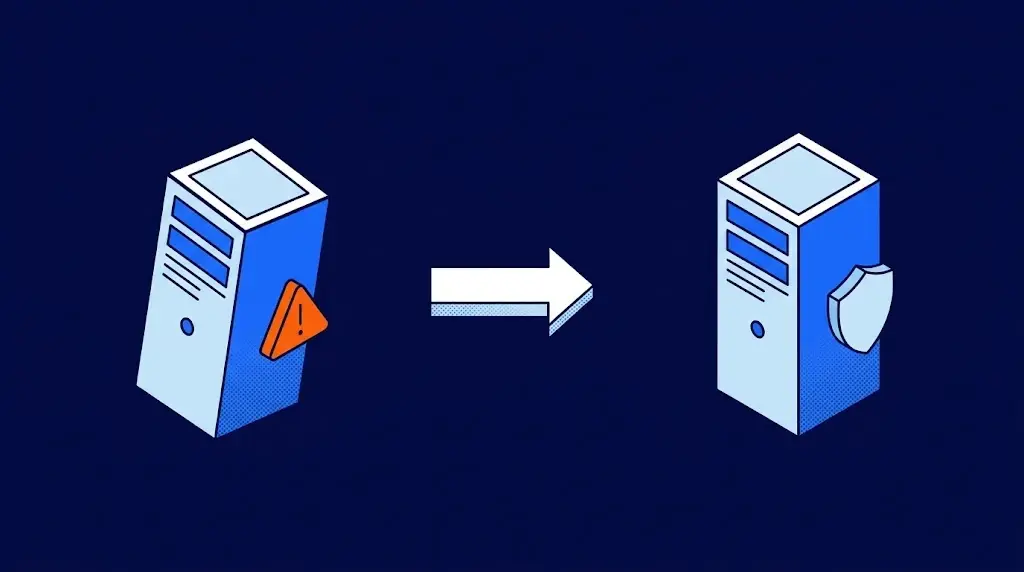
A DRP (disaster recovery plan) is the document, and the set of technical resources behind it, that defines how a company restores its systems, its data and its operations after a serious failure: a server that stops working, a ransomware attack, human error, a fire or an extended power outage. It establishes what gets restored first, how quickly, from which copy, who carries it out and how you confirm that it works.
If you are responsible for preparing or updating your company's plan, here is what matters: what it should include, how to set recovery targets (RTO and RPO), how it differs from a backup and from a business continuity plan (BCP), how to test it, and when it makes sense to contract it as a service (DRaaS).
What is a DRP and what is it for?
DRP stands for disaster recovery plan. Many companies also call it an IT disaster recovery plan or simply "the IT contingency plan." All of these names point to the same thing: a written, tested response that is ready to run when the systems your operation depends on stop working.
The easiest way to understand it is to think of your building's emergency evacuation plan. There are marked exit routes, a meeting point outside, floor wardens who know what to do and regular fire drills to confirm that all of it works. A DRP is exactly that for your servers, applications and data: you know where operations move, who moves them, how long it takes and how everything gets back to normal.
Here is a concrete example. At 6 p.m. on a Friday, the server that runs your billing system stops responding and won't power back on. Without a plan, your IT team spends the weekend improvising: hunting for the latest copy, sourcing hardware, reinstalling and hoping for the best. With a DRP, the same person opens the document and follows the steps to bring the system up at the secondary site, and by 8 a.m. Monday the sales team is invoicing like any other day.
A DRP also serves a less visible purpose: proof. Standards such as ISO 27001, contracts with enterprise customers and cyber insurance policies ask for a documented recovery plan with test results. Having the plan written down and rehearsed turns an uncomfortable question from the auditor into a deliverable you already have on hand.
Backup, DRP and BCP: how they differ
The three terms often get mixed up, and it helps to separate them because each one answers a different question. A backup is a copy of your data. A DRP is the plan to get your systems running again from that copy. A BCP (business continuity plan) is the companywide plan to keep working while that happens: what sales does, what the warehouse does, what you tell customers.
| Question it answers | Backup | DRP | BCP |
|---|---|---|---|
| What does it protect? | Files, databases and mailboxes. | Servers, applications and the infrastructure behind them. | Business processes: selling, producing, billing, serving customers. |
| What does it deliver? | A copy of your data at a point in time. | Systems running again within a defined time. | The company operating even when systems are not at 100%. |
| Who carries it out? | The IT team or the backup provider. | The IT team, with the recovery provider if there is one. | Leadership and the head of each department. |
| Is it enough on its own? | No. Without a plan, a restore can take days. | Not without a backup: the plan needs a copy to recover from. | Not without a DRP: processes depend on systems. |
Think of it in layers. Backup is the foundation: without a verified copy there is nothing to recover, which is why the starting point is always a managed backup service that confirms your copies actually restore.
The BCP sits above the DRP and includes it as its technology chapter. The DRP covers the systems; the BCP covers everything the business does while those systems come back.
RTO and RPO: the two numbers that define your plan
Every DRP is built on two figures that leadership should set together with IT. RTO (recovery time objective) is how long a system can be down before the business starts losing in earnest. RPO (recovery point objective) is how much data you are willing to lose, measured as the time since the last copy.
Go back to the fire drill. RTO is how long it takes everyone to reach the meeting point. RPO is whatever they left on their desks on the way out. A building with a good plan measures both and works to shorten them.
In practice, you set them system by system. The billing system at a distributor may need an RTO of one hour and an RPO of 15 minutes, because every order that isn't captured is a lost sale. The historical contract archive can live with an RTO of two days and an RPO of 24 hours without anyone noticing. Giving everything the same number makes the plan more expensive without making it better.
These two numbers determine the technology you need: an RPO of minutes calls for continuous replication to another site, while an RPO of one day can be covered with a nightly backup.
What a disaster recovery plan should include
A complete DRP fits in a document of just a few pages, as long as it covers these seven parts. If you already have one, use them as a checklist.
- Prioritized system inventory. Which servers, applications and databases exist, how they depend on each other and in what order they are restored. The ERP and billing usually come first; the shared file server comes later.
- Business impact analysis. What each hour without each system costs, in orders, in production or in idle staff. This is the argument that justifies the plan's budget.
- RTO and RPO per system. The two numbers from the previous section, written down and signed off by leadership.
- Recovery strategy. Where each system is recovered from: a backup restored onto new hardware, a replica at a second site or an environment powered on in the cloud.
- Roles and contact chain. Who declares the disaster, who carries out each step, who informs leadership and customers, and which number to call to reach the provider. These are your floor wardens, each with a name and an alternate.
- Step-by-step procedure. The runbook: the exact sequence of actions to bring each system back up, written so that someone who doesn't do it every day can follow it.
- Testing and review schedule. When you rehearse, how you document the results and when you update the plan. An untested DRP is only a hypothesis.
How to prepare your DRP in six steps
Preparing a disaster recovery plan doesn't take a months-long project. It takes order. These six steps take a midsize company from zero to a tested plan.
1. Make the list and rank it
Bring IT together with the head of each department and ask a single question: if this system goes down right now, what stops happening in your area? Their answers let you rank the inventory by its actual impact on the business. A common surprise is discovering that a shared spreadsheet is as critical as the ERP.
2. Put numbers on each system
Set the RTO and RPO for each system with the people who use it. Sales will say billing can't be down for more than an hour; HR may accept that payroll waits a day if it isn't payday week. Those numbers are the agreement between the business and IT.
3. Decide where the copy and the secondary site live
The basic rule is that recovery can't depend on the same place that failed. If the server and its backup sit in the same room, a fire or a theft takes both. That is why more and more companies replicate to the cloud: the second site already exists, it is far away and nobody has to build it.
4. Write the protocol
Document who declares the event, who powers on what and in what order, how leadership is informed and what customers are told. Write it for the worst possible moment: the person running it might be the alternate, at 3 a.m., with the lead on vacation. If only the author can follow the procedure, it isn't finished.
5. Rehearse
Schedule the first drill before you call the plan finished. Three or four details almost always turn up that looked fine on paper: a password nobody had, a server that depended on another one missing from the list, an outdated phone number. Fixing them in a rehearsal costs an afternoon; finding them during a real outage slows down the recovery itself.
6. Review whenever something changes
A new server, an application moved to the cloud, a key team member who left: every change to your infrastructure or your team is a reason to review the plan. Also schedule a full review once a year, aligned with the main test.
DRP testing: the drill that gives the plan its value
Testing is what separates a DRP that works from a document sitting in a folder. As with a fire drill, the value lies in measuring times and finding what breaks while it costs nothing, even if the run is far from perfect. There are three levels, and a mature company uses all of them.
- Tabletop review. The team walks through the document step by step, without touching any systems, and confirms that every action has an owner, the right access and the correct order. It takes an hour or two and is worth repeating every quarter.
- Partial test. One specific system is recovered at the secondary site, without affecting production, and the time it took is measured against the committed RTO. This is the test that teaches the most.
- Full test. All critical operations are brought up at the secondary site and departments work there for a defined period. Schedule it at least once a year, with leadership informed and the results documented.
Here is an example of what a partial test produces. The plan said billing would be back up in one hour; the test took two hours and twenty minutes because the database depended on an authentication service nobody had included. It was added to the inventory, the test was repeated the following month and it took 50 minutes. That record, with dates and times, is exactly what an ISO 27001 auditor or an insurer asks for.
Traditional DRP vs. DRP as a service (DRaaS)
There are two ways to have a secondary site. The traditional one is to build it: a second server room, owned or leased, with hardware equivalent to the primary one, ready just in case. The other is to contract it as a service, known as DRaaS (disaster recovery as a service). An agent continuously replicates your servers to the cloud and, when needed, the provider powers on an environment there that is identical to yours.
| Comparison point | Your own secondary site | DRP as a service (DRaaS) |
|---|---|---|
| Upfront investment | Duplicate hardware, licenses, network links and space, all before the first failure. | None. A monthly fee per protected server and for storage. |
| Time to get it ready | Months, between procurement, installation and setup. | Days. The agent is installed and replication begins. |
| Who runs the recovery | Your IT team, using whatever procedure it has written. | The provider together with your team, following an agreed runbook. |
| Testing | Depends on IT finding the time and a maintenance window. | Included in the contract, with dates and evidence. |
| Cost when nothing happens | The same all year: the duplicate hardware exists even when it sits idle. | Low: cloud compute hours are paid only when the environment is powered on. |
| Growth | Every new server requires buying its twin. | The new server is simply added to the plan. |
Your own site still makes sense for organizations with dozens of physical servers, strict rules about where their data can reside or a second data center that already exists. For most midsize companies, the service gets started sooner, costs less while nothing is happening and comes with testing included.
TecnetProtect DR: your second site in the cloud, ready to go
At TecnetOne we handle disaster recovery with TecnetProtect DR, our DRaaS service. An agent installed in your infrastructure replicates every change on your servers to the cloud in near real time, around the clock. When a failure occurs, we confirm it together with your IT team and power on an environment identical to yours in the cloud within minutes, so your operations keep running there while we restore your original site. Once it is ready, we bring the data back up to date and shut down the secondary environment.
The service includes two recovery tests per year, of up to four hours each and without affecting your production, which also serve as the evidence your auditor or your insurer asks for. It keeps the last seven days of your replica so you can roll back to a point before an error or an attack, and cloud hours are billed only when the environment is powered on, whether for a failover or an additional test. We operate with ISO 27001 certification.

Frequently asked questions about DRPs
DRP stands for disaster recovery plan. It is the documented, tested plan that defines how a company restores its systems and data after a serious failure, in what order and how quickly.
The DRP recovers the technology: servers, applications and data. The BCP (business continuity plan) keeps the whole business running while that happens: what each department does, how customers are served, who makes decisions. The DRP is the technology chapter of the BCP.
No. A backup is a copy of your data; a DRP is the plan to get back to operating from that copy, with defined times, owners and steps. Without a plan, restoring from a backup can take days. The two complement each other: the plan needs the copy and the copy needs the plan.
RTO (recovery time objective) is the maximum time a system can be down. RPO (recovery point objective) is the maximum amount of data you are willing to lose, measured as the time since the last copy. Both are set per system and determine which recovery technology you need.
At least one full test per year and partial reviews every quarter, plus a review whenever a critical system changes. Document the result of each test with dates and times: that evidence is what ISO 27001, enterprise customers and cyber insurance policies ask for.
DRaaS (disaster recovery as a service) is disaster recovery contracted as a service. Your servers are continuously replicated to the provider's cloud and, if a failure occurs, an identical environment is powered on there within minutes, with no need to build a second site of your own. That is how our disaster recovery service for businesses works.
Yes, when it includes recovery to an earlier point in time. If your data is encrypted, the environment is powered on from a moment before the attack and operations continue while the original site is cleaned up. It works best alongside immutable backups, which are copies that no one can modify or delete.
ISO 27001 asks organizations to prepare their information technology for business continuity and to test that readiness. ISO 22301 is the specific standard for business continuity. In the United States, the HIPAA Security Rule asks health care organizations to maintain a contingency plan that covers data backup and disaster recovery. Contracts with enterprise customers and cyber insurance policies often ask for the plan and evidence of its tests.

Zoilijee is Founder and KAM of TecnetOne, she specializes in business development for Cloud, Hybrid and Enterprise Cyber Resilience environments, her main vision is to empower and protect organizations on new emerging threats in IT.