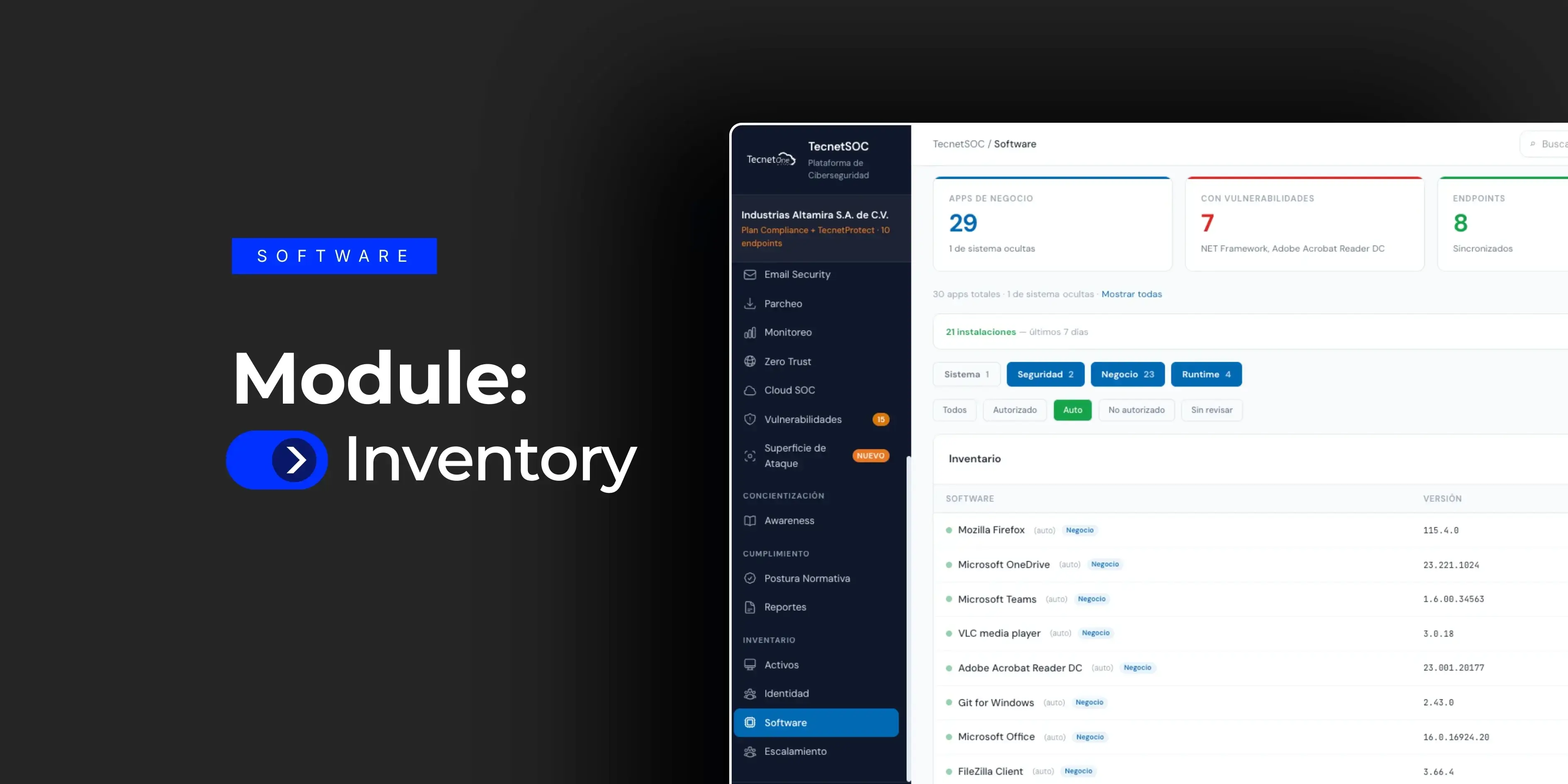
Do you know which applications are installed on every device in your company right now? Most IT directors cannot answer that question with confidence. They care; they simply have no way to review two hundred devices one by one. The TecnetSOC Software module exists for exactly that: it automatically detects every application installed on monitored devices, classifies it by type, marks which ones are authorized and flags what changed in recent days, all without anyone having to review that information manually.
The underlying problem is shadow IT: software installed without going through any control, either because an employee needed a specific tool or because an application came bundled with another installation. Each of those apps is attack surface nobody is watching, and in most companies that inventory only gets fully uncovered once an incident is already underway.
Having a lot of software is fine. Not knowing what you have is the problem
No midsize or large company has absolute control over every application installed on every device. That is not realistic. The real problem is different: when something goes wrong, nobody can quickly say whether that application was known, whether it was authorized or whether it appeared out of nowhere last week.
Without centralized visibility, the only way to find unauthorized software is to check device by device, something no IT team has time to do on an ongoing basis. As a result, risky applications (unauthorized remote access tools, outdated versions with known vulnerabilities, programs nobody remembers installing) sit alongside the rest of the inventory without anyone telling them apart.
The Software module turns that open question into a verifiable answer: what is installed, where, in which version and whether someone has already reviewed it.
How the TecnetSOC Software module works
1. The big picture in five numbers
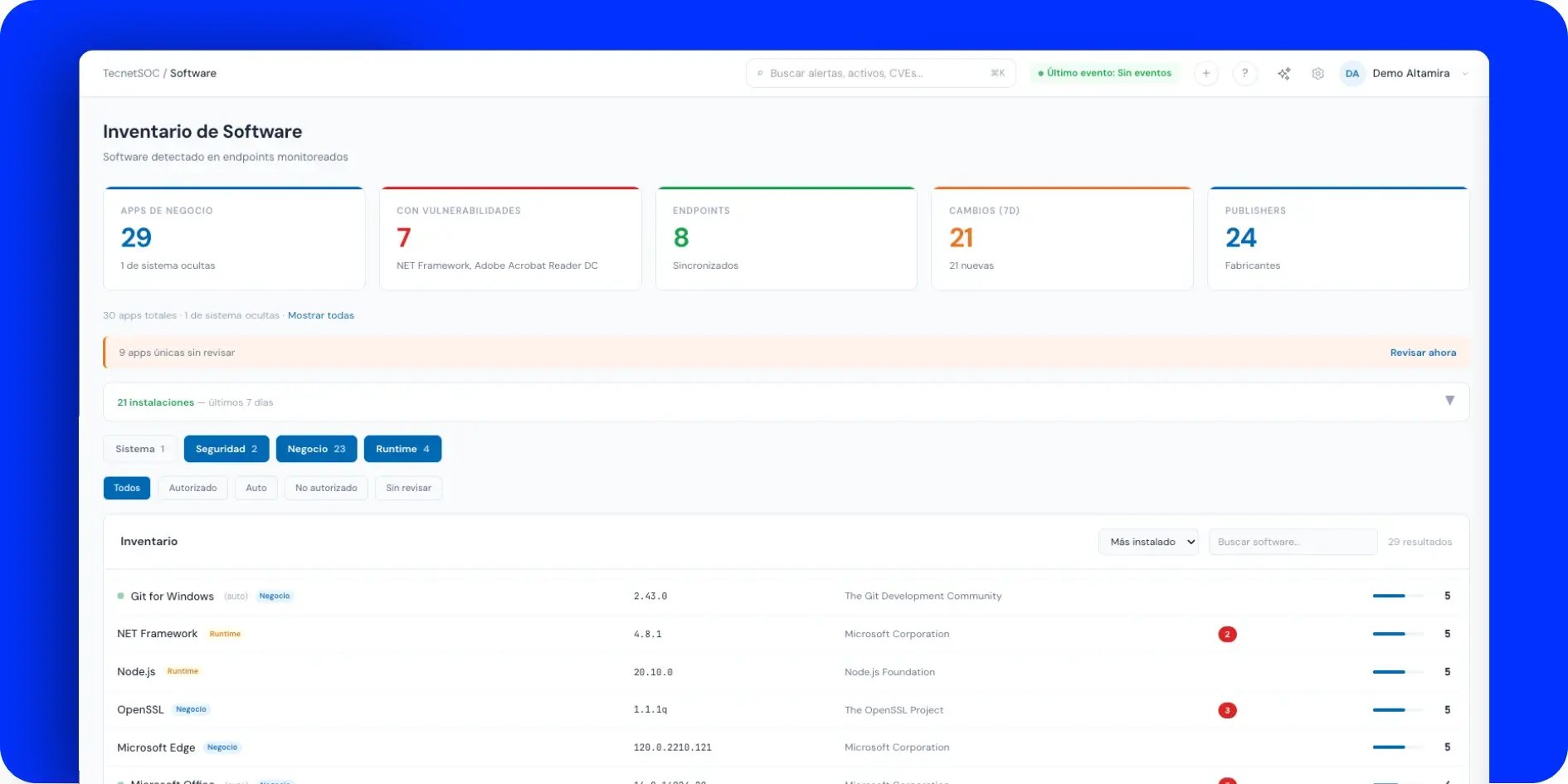
When you open the module, the portal immediately shows the total number of business applications detected, how many have known vulnerabilities associated with them, how many endpoints (the laptops, desktops and servers in your company) show activity, how many changes were logged in the last 7 days and how many different vendors appear in the inventory. Operating system software is hidden by default to reduce noise, with the option to show it when you need to review it.
Each application in the table shows its name, version, vendor, any associated vulnerabilities and how many devices it is installed on, with real-time search and sorting by the most installed apps.
2. Automatic classification by category
The inventory splits software into four categories: business, security, system and runtime (environments such as Python, Node.js or .NET Framework that tend to go unnoticed but also pile up vulnerabilities). This classification avoids the usual problem of seeing everything mixed into one long list, where a critical business tool sits at the same visual level as an operating system component.
Filtering by category instantly narrows the inventory down to what really needs review in each context, whether that is an audit of business applications or a review of runtimes with pending vulnerabilities.
3. Review status: authorized, unauthorized or not reviewed
Each application can be marked as authorized or unauthorized, or it stays pending as "not reviewed" until someone classifies it. The portal highlights how many unique applications are still unreviewed, with a shortcut to work through them.
This is the piece that gives shadow IT an owner. Instead of letting unauthorized software get lost among hundreds of rows, the "Not reviewed" filter puts it in plain sight as a concrete task.
4. Changes in the last 7 days
The module keeps track of what was installed, uninstalled or upgraded in the past week, rolled up into a summary that saves you from comparing inventories by hand. For an IT team, this is the difference between learning about a suspicious installation the same day and discovering it months later during an audit.
5. Detail view for each application
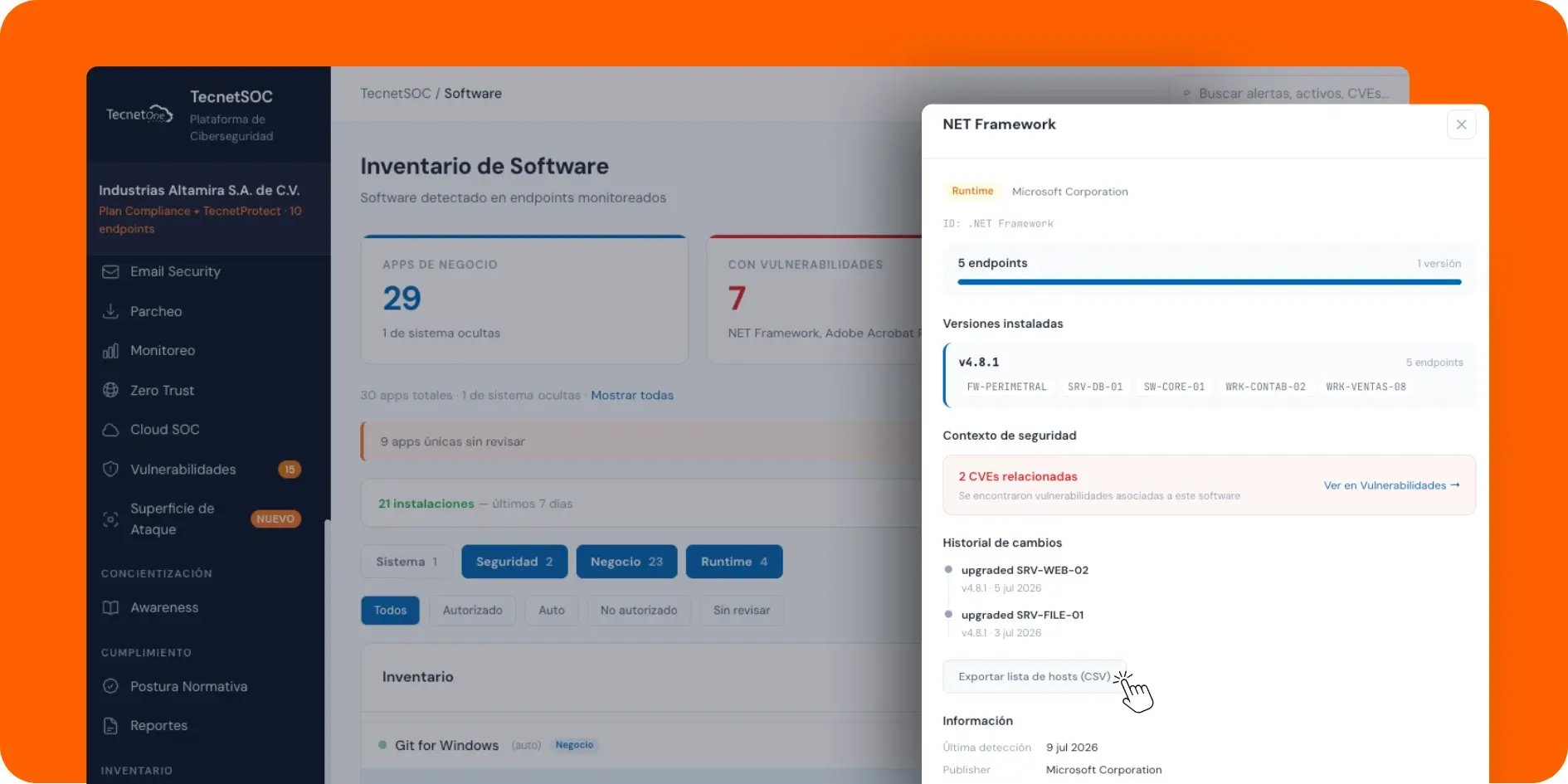
When you click on any application, the side panel brings together how many endpoints have it installed, which specific versions run on each one (with each device's hostname visible) and whether there are associated vulnerabilities, with a direct link to the Vulnerabilities module when relevant. It also shows the change history for that particular application, such as a recent uninstall on a specific device, and lets you export the full device list to CSV for audit or remediation work.
This view answers, without ambiguity, the question an auditor or IT director asks after a finding: which other devices have this same software installed?
How it connects with the rest of TecnetSOC
The Software module shares its inventory with the Assets module: every endpoint listed there is the same one that feeds this application catalog. When an application has an associated vulnerability, the direct link takes you to the Vulnerabilities module, where its severity and remediation are managed. Software detection also complements the Endpoint Protection module: while Endpoint Protection blocks active threats, the Software module gives visibility into what is already installed, authorized or not, before it becomes a problem.
Without this inventory, any conversation about shadow IT stays in the realm of suspicion. The Software module is what turns it into verifiable data.
The operational impact: from shadow IT suspicions to verifiable control
The difference shows the day someone asks whether a certain application is installed in the company and on how many devices. With this module, that answer takes seconds instead of turning into a multi-day task of checking device by device.
For leadership, this means being able to show with real data how much unauthorized software exists and what is being done about it. For compliance, the change history and the classification of each application are exactly the kind of evidence a security operations center (SOC) produces for audits such as ISO 27001 or PCI DSS.
Checklist: five questions about your software inventory
- You know how many different applications are installed in your company right now, without having to ask anyone.
- You can show with data how much of that software is authorized and how much is still unreviewed.
- You know what was installed, uninstalled or updated in your company last week.
- If an application has a known vulnerability, you can see in seconds which devices have it.
- You have a way to export that information for an audit without building the report by hand.
This is the visibility that TecnetSOC builds in natively, alongside asset management, endpoint protection and the rest of its modules.
How to get started with the Software module
If you are already a TecnetSOC customer, the Software module is available in your portal: there you can check your full inventory, classify unreviewed applications and spot unauthorized software before it becomes a risk.
If you are not a customer yet, here is the question worth asking: if someone asked you right now for the complete list of software installed in your company, could you deliver it in minutes, or would it take days to put together by hand? If you are not happy with the answer, it is worth booking 30 minutes with a TecnetOne specialist to review the real state of your software inventory today.