The TecnetSOC Endpoint Protection module detects and blocks malware, exploits and ransomware in real time on every monitored device. It also filters unsafe browsing by user and by device, and shows your company which devices have lost their active protection agent before they become an attacker's way in.
Most companies already have some kind of antivirus installed. That is different from having real endpoint protection (protection for the laptops, desktops and servers people work on). The question almost nobody can answer with confidence is a different one: is that agent still active on every device, or have some devices dropped out of coverage without anyone noticing?
Checking device by device works with ten machines, but it becomes impossible with dozens or hundreds spread across offices, branches and remote staff. A single device without active protection is all an attacker needs to get in.
The Endpoint Protection module exists to close that gap. Besides stopping the threat in the moment, it shows precisely where each risk sits within your inventory.
The real issue is visibility into what your antivirus protects
Installing an antivirus, or even an EDR or XDR solution (endpoint or extended detection and response), solves only half the problem. The other half is knowing at any moment, without having to ask, whether that protection is still working on every device in the organization.
Today, IT teams often discover coverage gaps the worst possible way: after an incident, when a review shows that the device had been running without an active agent for weeks. By then there is no room left for prevention, only for containing the damage and reconstructing what happened.
That is the blind spot the module removes. It turns the question "is that device protected?" into a fact you can verify in the portal instead of an assumption.
How the TecnetSOC Endpoint Protection module works
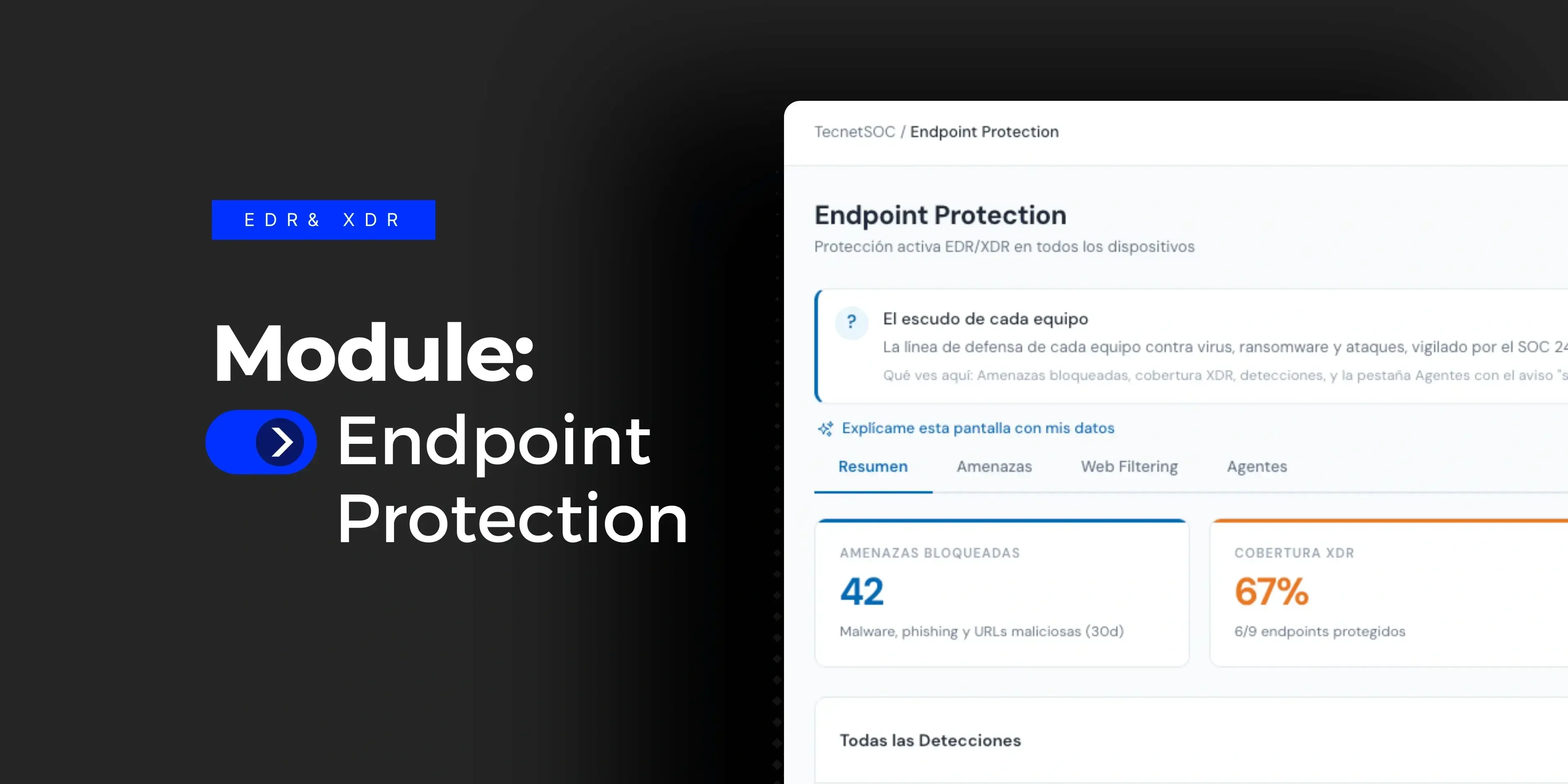
When you open the module, the portal shows the protection coverage of all your devices at a glance: how many threats were blocked, what percentage of your endpoints is protected, how many events were real malware or exploits and how many URLs were blocked for unsafe browsing.
From there, the module is organized into three tabs that go deeper into each area: Threats, Web Filtering and Agents.
Threats: real-time detection and blocking
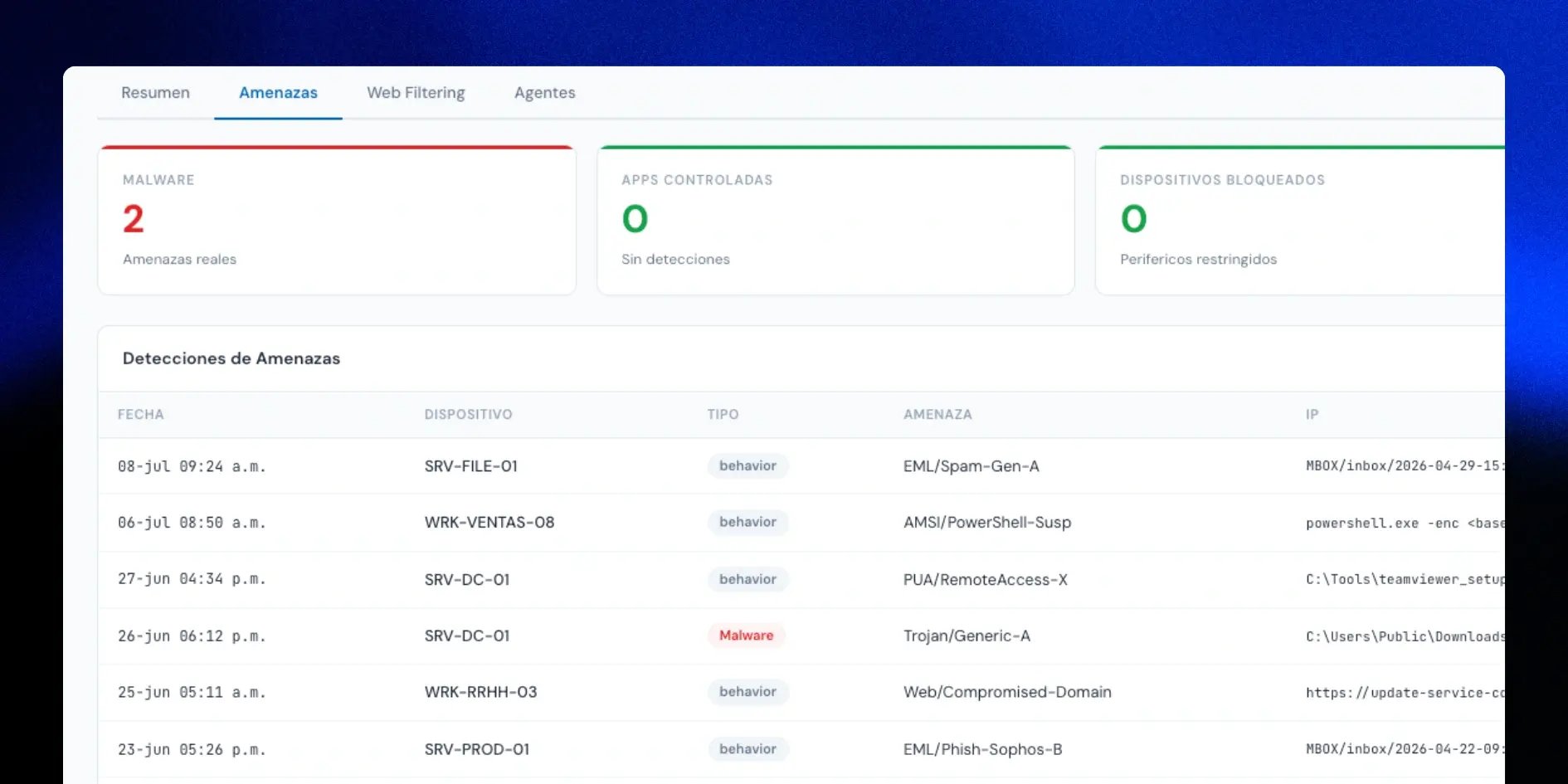
Every monitored device has active detection of malware, exploits and suspicious behavior, with automatic blocking the moment the risk is identified. The portal logs each detection with its type (anomalous behavior, confirmed malware or web threat), the affected device, the path or file involved and the action taken: cleanup, quarantine or block.
The module also identifies devices with recurring detections, which helps you see which machines need extra attention beyond a one-time block. When the detected threat is ransomware, the logic a security operations center (SOC) follows in real time applies: contain it before it encrypts files or spreads to other devices.
Web Filtering: safe browsing by user and device
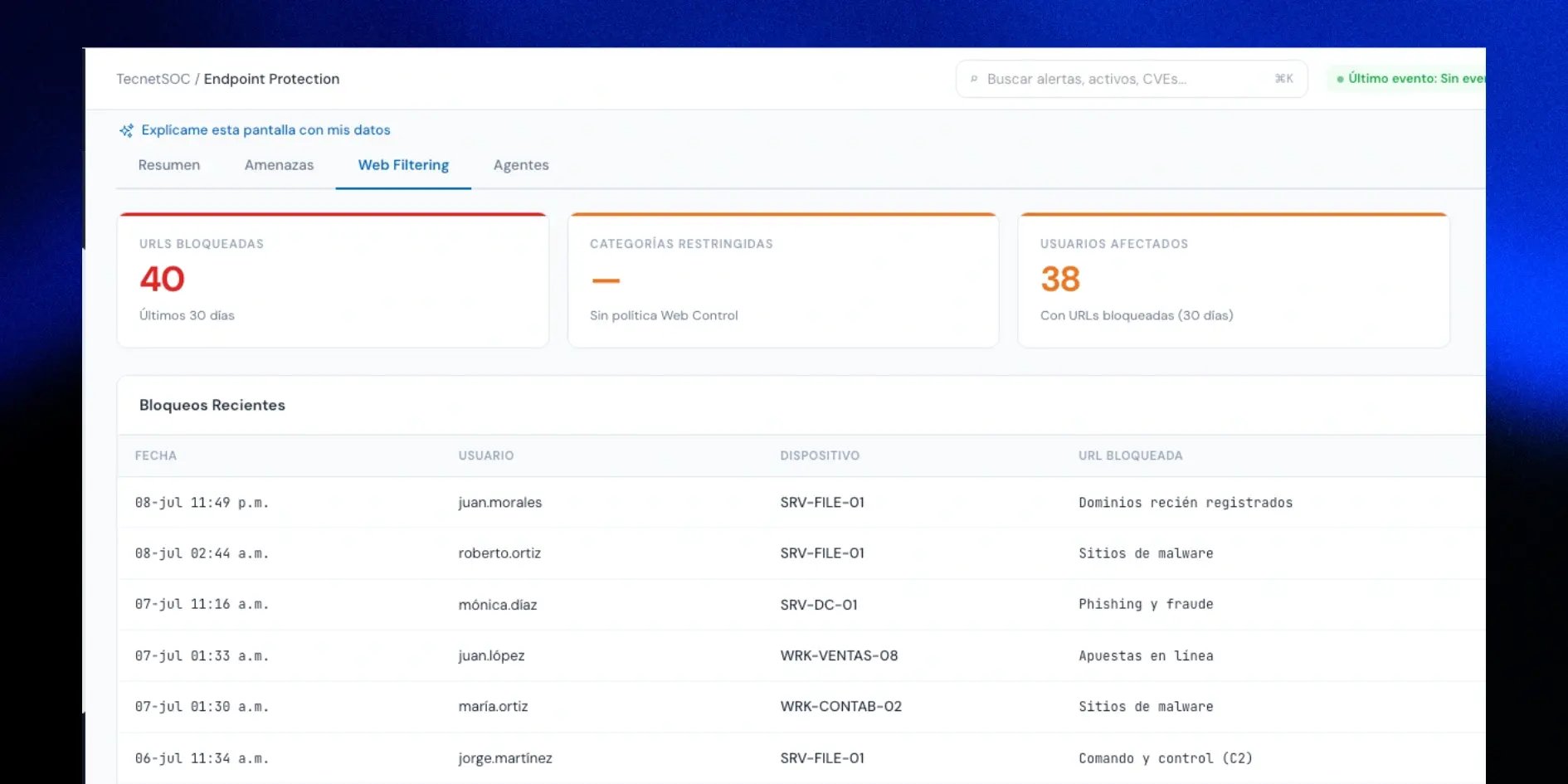
The module filters unsafe browsing and blocks access to dangerous pages before the user interacts with them: newly registered domains, malware sites, phishing, command and control, anonymizers and other risk categories. Each block is logged by user and by device, so you can see who tried to reach a risky site and from which machine.
This layer complements malware detection because it stops many attacks before they ever run, especially those that depend on someone clicking a compromised link.
Agents: coverage with no blind spots
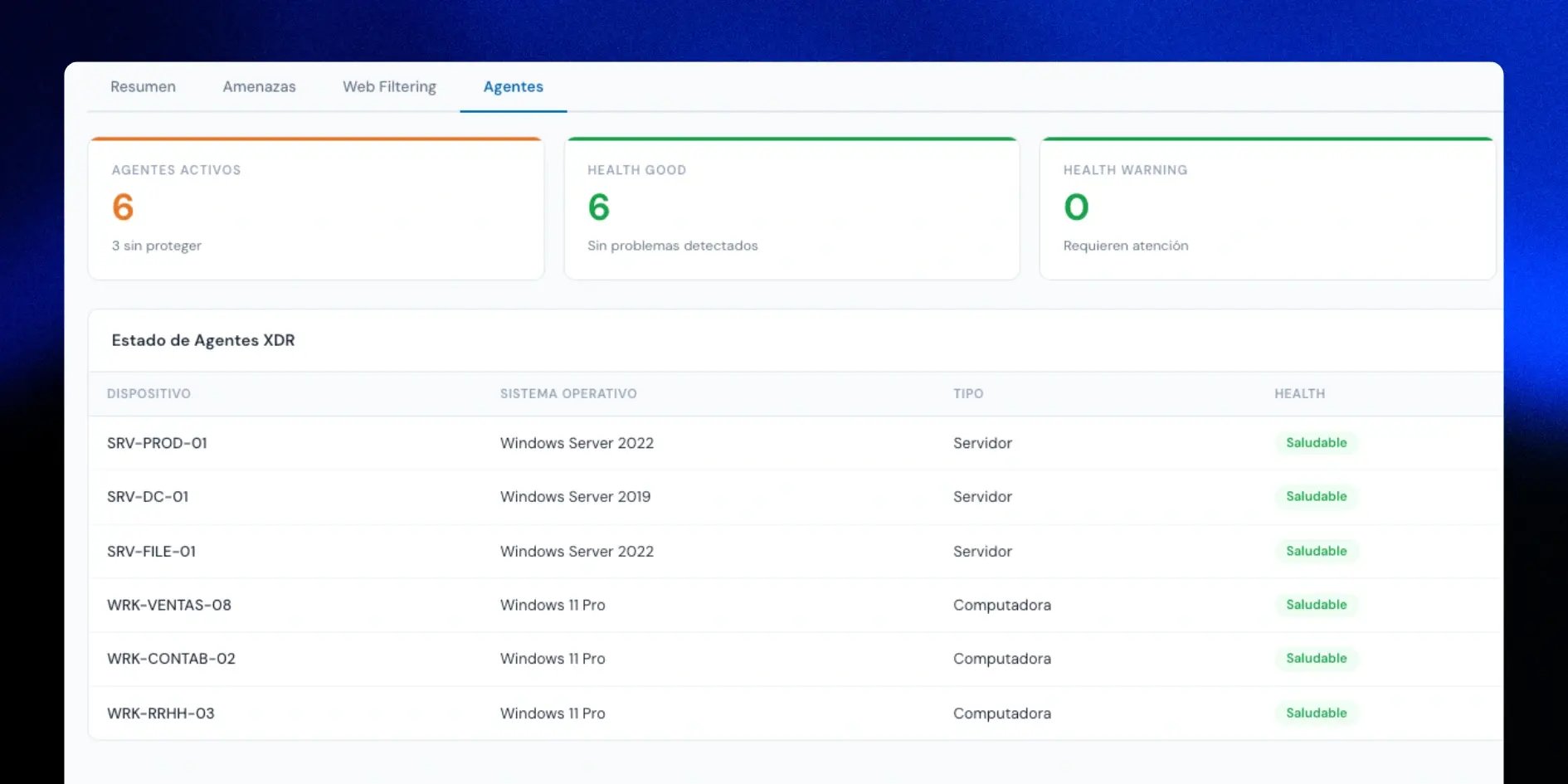
The Agents tab shows how many devices have the protection agent active, their health status and, above all, whether any device has gone quiet with the platform for a while. An agent with no recent check-in is the most important signal in the whole module: it means that device may be running without real protection, even if it looks covered on the surface.
This solves exactly the problem described earlier. Checking device by device is impossible past a certain size, and this view makes it unnecessary.
Containment with your authorization
When a threat is confirmed, the module can isolate the affected device from the network to stop it from spreading. That action always requires your authorization: TecnetSOC identifies the risk and flags it for you, and isolating the device is a decision made together with you.
Integration with the rest of TecnetSOC
When an endpoint detection escalates into something more serious, it is linked to the TecnetSOC Incidents module, where its severity, classification and resolution time are managed without leaving the portal.
Endpoint protection is one more layer within continuous monitoring, and it is worth weighing when you choose a cybersecurity monitoring service.
On your side as a customer, all that is needed is to keep the protection agent installed and up to date on every device, and to authorize isolation when the SOC requests it in response to a critical threat. The module does not isolate any device on its own, and it does not manage personal mobile devices outside your corporate policy.
The operational impact: from scattered devices to verifiable coverage
The difference between having antivirus installed and having managed endpoint protection shows up the day something fails. With detection, filtering and agent health in a single portal, the IT team stops chasing scattered information and can say right away where the risk is.
For leadership, this finally means a direct answer to how many devices are protected today, without relying on someone to check by hand. For audits, that record is exactly the kind of evidence a SOC produces to demonstrate compliance with ISO 27001, PCI DSS or SOC 2.
Checklist: five questions about your endpoint protection
- You can say right now how many devices in your inventory have the agent active.
- You know whether any device has gone more than 24 hours without checking in with the platform.
- You have a record of which threats were blocked last week and on which devices.
- Web filtering is active and you can see which users tried to access risky sites.
- If an endpoint detection escalates into an incident, your team can follow up on it without switching systems.
This is the coverage that TecnetSOC builds in natively, alongside incident management, investigations and continuous monitoring.