Email is still attackers' favorite way in, simply because it keeps working. The TecnetSOC Email Security module filters and blocks spam, phishing, malware and impersonation fraud (BEC) before it reaches your people's inboxes, with quarantine for anything suspicious and full visibility into what was blocked, why and by which detection layer.
Most serious security incidents don't start with a sophisticated exploit. They start with an email someone opened because it seemed to come from the CEO, a known supplier or Microsoft. That is the pattern behind BEC (Business Email Compromise): there is no malware to detect, just a well-written message asking for an urgent wire transfer or a change of bank account. Filtering that kind of email takes something different from a traditional spam filter.
What slips through with the spam is what really matters
Any company with corporate email receives spam every day, and most filters handle it without much trouble. The real issue lies elsewhere: mixed in with that noise are messages designed specifically to look legitimate. They imitate an executive's name, a supplier's domain or the look of Microsoft and Google, and a basic filter can't always tell them apart.
When one of those emails gets through, the consequence goes well beyond a cluttered inbox. It is a wire transfer to the wrong account, stolen credentials or an attachment that compromises a computer. By the time someone notices, it has become an incident to investigate and contain.
The Email Security module exists to close that specific blind spot: beyond blocking volume, it identifies the intent behind each message precisely, even when it technically carries no malicious file.
How the TecnetSOC Email Security module works
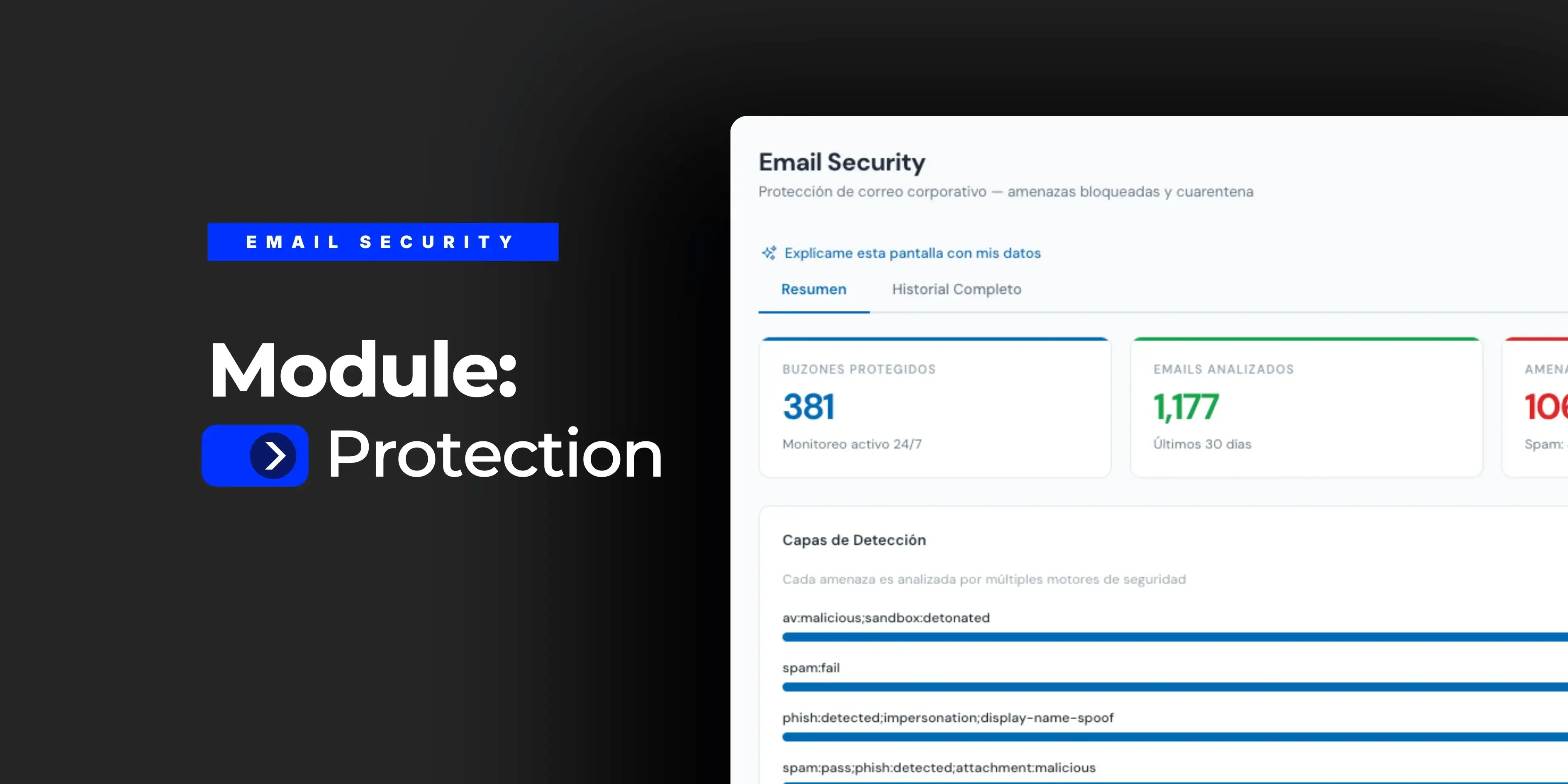
When you open the module, the portal immediately shows how many mailboxes are under active monitoring, how many emails were analyzed in the period, how many threats were blocked, how many messages are in quarantine awaiting review and what percentage of the total that block rate represents. From there, the module is organized into two views: an executive summary and a complete history of analyzed emails.
Threats broken down by type
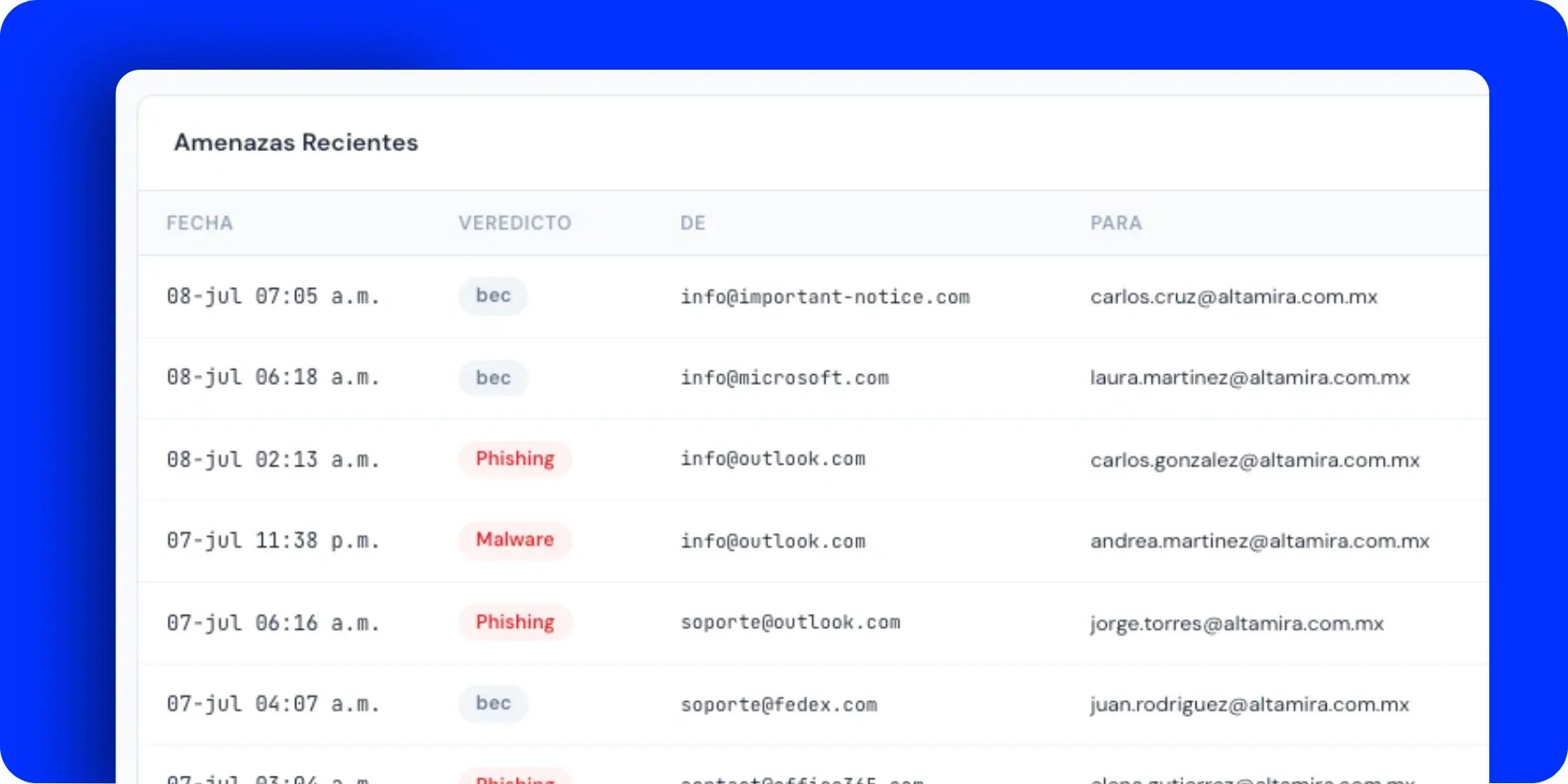
Each blocked threat falls into one of four categories: spam (unwanted email), phishing (impersonation to steal credentials), malware (malicious files) and BEC (executive or supplier impersonation fraud).
This separation matters because each type calls for a different response. A spam email can be ignored, while a BEC attempt aimed at the CEO's account warrants an alert to the team on top of the block itself.
Detection layers: how each threat is identified
The module doesn't rely on a single technique. Every email goes through multiple analysis engines (known spam signatures, sandboxing of attachments to detonate malware in a controlled environment, DMARC and SPF checks to detect domain spoofing, malicious URL analysis and impersonation detection by sender name), and the portal shows how many detections each layer contributed. That visibility is what separates a filter that only says "blocked" from one that explains why it was blocked.
If the terms are new to you: DMARC is the protocol that tells mail servers what to do when a message fails the check that it really comes from the domain it claims to represent. It builds on two earlier standards, SPF (which servers are allowed to send on behalf of that domain) and DKIM (a cryptographic signature confirming the message wasn't altered along the way).
When these checks fail, it is a strong sign that someone is forging the sender, the core technique behind most phishing and impersonation attacks.
Quarantine: suspicious email is held for review
Not every questionable email is blocked automatically. Messages flagged as suspicious (low-confidence spam, new senders with unusual behavior, shortened links with no clear reputation) are held in quarantine pending review instead of being deleted without a trace. This prevents two opposite problems: a legitimate email getting lost to a false positive, and something genuinely risky reaching the inbox just because the system wasn't completely sure.
Complete history: traceability for every analyzed message
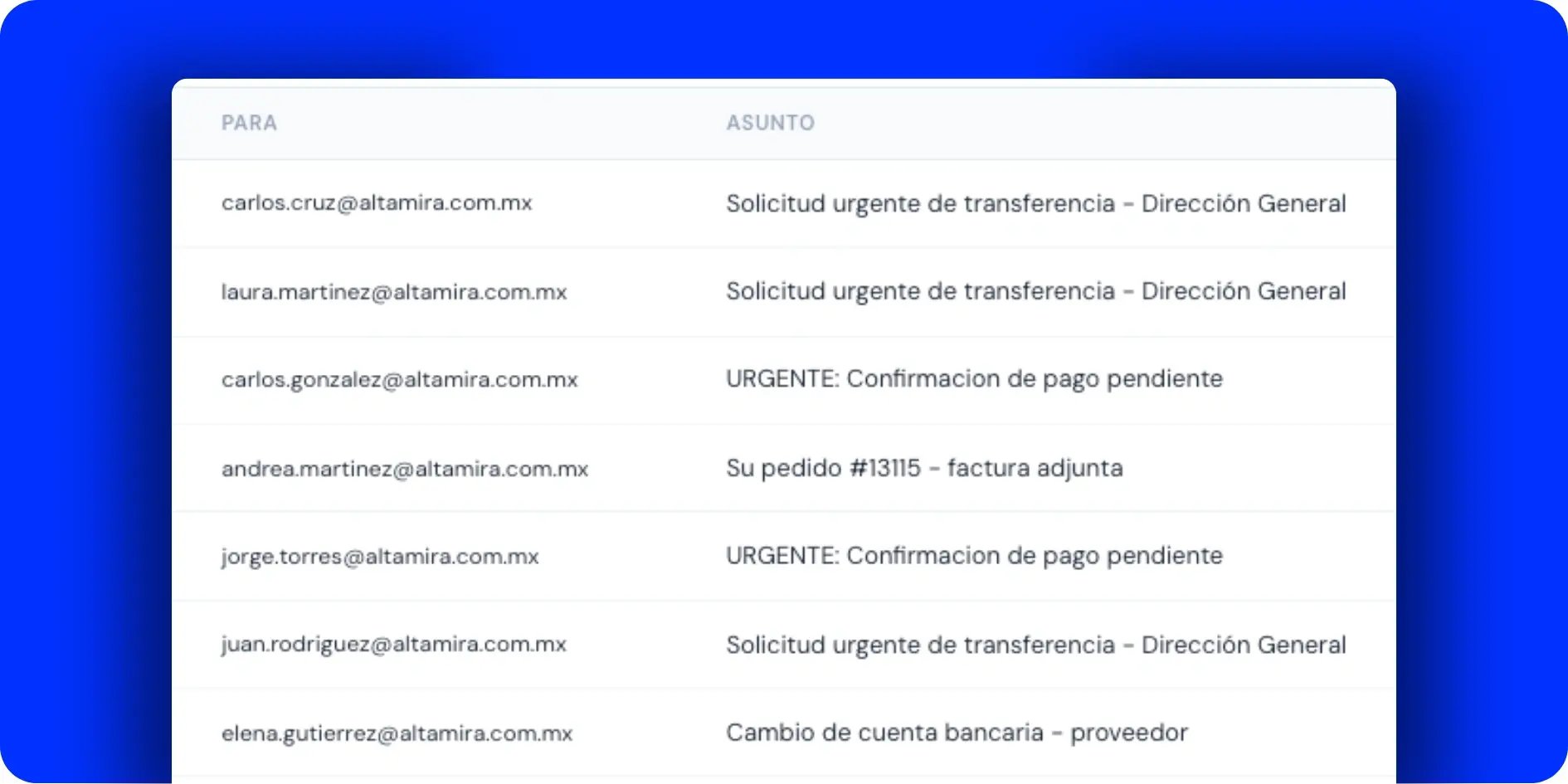
Beyond the summary, the module keeps a detailed history of every analyzed email: date, verdict, sender, recipient, subject, which detection layer identified it and what action was taken. This view answers the question an IT team asks after a fraud attempt: who else in the organization received a similar email from the same sender?
The pattern behind BEC: why simple rules struggle to filter it
A well-executed BEC email carries no malware and no obviously fake link. It imitates the name of a real executive or supplier, uses a domain that looks similar to the legitimate one without being identical, and asks for something urgent: a wire transfer, a bank account change, login details.
There is no virus signature to detect because there is no virus. That is why the module combines domain verification (DMARC, SPF, impersonation checks) with analysis of the content and the sender's behavior, instead of relying only on lists of known threats.
It is also why the module reports BEC separately from generic phishing: the two follow different detection logic and call for different levels of urgency when they show up.
How it fits with the rest of TecnetSOC
The Email Security module is the last core layer in TecnetSOC, complementing the protection already provided by the Endpoint Protection module. Endpoint Protection stops what has already reached a computer, and Email Security cuts off a large share of those threats before the user has a chance to click.
A malicious attachment that gets past the email filter and runs on an endpoint is exactly the scenario both modules, working together, are designed to prevent.
From hoping nobody falls for it to having blocking under control
Without this module, email security depends almost entirely on every person in the organization recognizing a fraud attempt in time, something even the best awareness program can't guarantee one hundred percent. With the module active, that responsibility no longer rests on the user alone: most threats are blocked before anyone has to decide whether an email can be trusted.
For leadership, this means a concrete answer to a question that used to be hard to answer: how many fraud attempts aimed at executive accounts were blocked this month.
For compliance processes, having a record of every detected threat and its detection layer makes it easier to show exactly what an auditor wants to see under frameworks such as ISO 27001 or SOC 2: controls with evidence, not just policies on paper.
The analysis applies to inbound email. The module doesn't analyze outbound email or prevent data leakage (DLP, data loss prevention). If you want to control what information leaves your organization by email, that is a separate conversation. The initial routing setup to the security platform is done during onboarding as part of the service, so you don't have to configure it yourself.
Checklist: five questions about your corporate email security
- You know how many phishing or BEC attempts targeted your company last month, without having to ask anyone.
- Your email filter can tell generic spam apart from an impersonation attempt aimed at an executive account.
- Suspicious emails are held in quarantine instead of being deleted without a trace or landing straight in the inbox.
- When a fraud attempt happens, you can see whether other users in your organization received a similar email from the same sender.
- You have DMARC configured on your domain and you know what happens to emails that fail that check.
This is the protection TecnetSOC builds in natively, alongside incident management, endpoint protection and the rest of its modules.
How to get started with the Email Security module
If you are already a TecnetSOC customer, the Email Security module is available in your portal: there you can check how many threats were blocked, review pending quarantine and follow up on any BEC attempt aimed at your company.
If you aren't a customer yet, here is a question worth asking: if someone at your company received an email today that perfectly imitates your CEO asking for an urgent wire transfer, would your current filter stop it, or would it depend on the right person having doubts in time? If you don't have a clear answer, one of our specialists can review with you how exposed your company is to this kind of fraud today.