When a server stops responding at three in the morning, the difference between a minor incident and a business continuity crisis almost always comes down to how quickly you found out. The TecnetSOC 24/7 Monitoring module exists for exactly that reason: so the health of your critical infrastructure does not depend on someone watching a console at the precise moment something starts to fail.
Unlike an antivirus or a single-purpose tool, this module works as the constant pulse of your operation. It watches servers, computers, network and services continuously and turns raw CPU, RAM and disk data into signals your IT team can act on before end users notice anything odd. Below we walk through the five functional areas that make it up.
1. Real-time server visibility
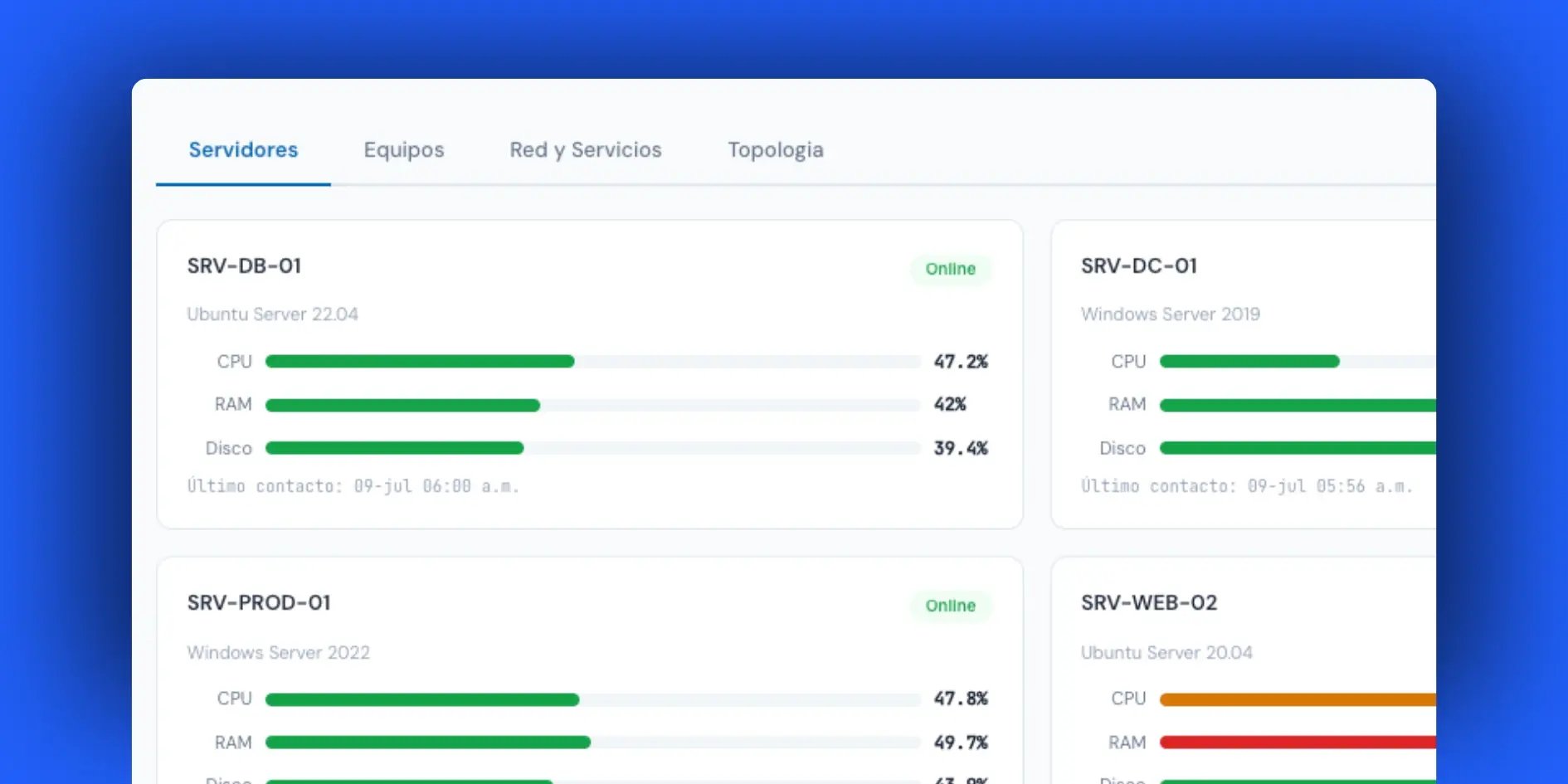
A company's critical infrastructure (databases, domain controllers, file servers and production servers) is the part with the least room for error. The Monitoring module shows the status of each server individually: availability percentage, CPU, RAM and disk usage, and the exact timestamp of its last contact with the platform.
This also covers VMware and Hyper-V virtualization hosts, so virtual machines sit on the same radar as physical infrastructure.
That last-contact timestamp is key, because a server can look "active" at a glance even though it last checked in 40 minutes ago in an environment that reports every 5.
That gap is the first sign something is going down, and the module brings it to the surface instead of burying it in a log nobody reads. The same data then feeds the TecnetSOC Incidents module, giving immediate context to any case opened on that server.
2. Device status: workstations and laptops
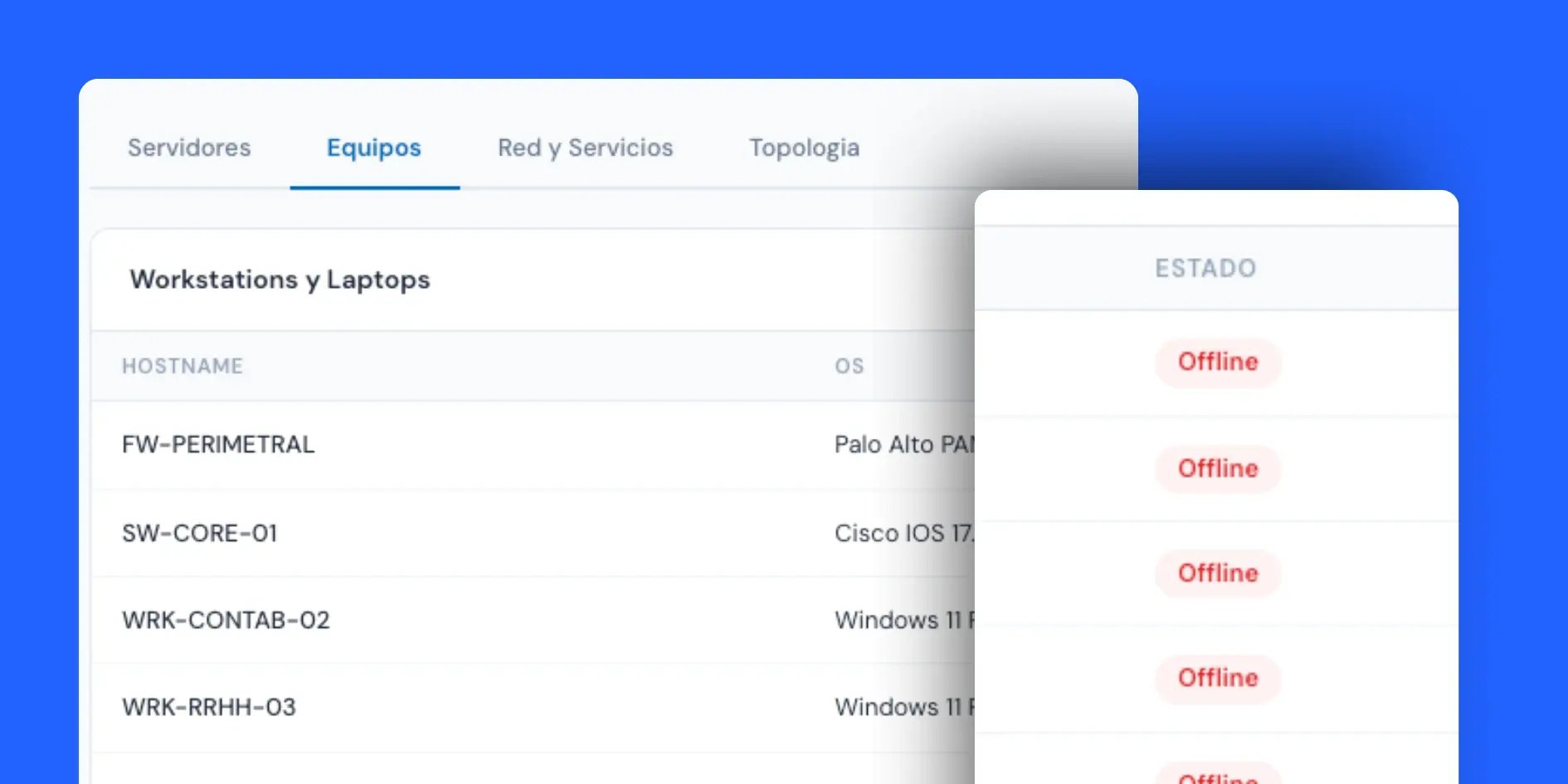
An organization's exposure extends well beyond the data center. The everyday workstations and laptops (the ones used by finance, HR or the sales team) are also on the module's radar.
Here the focus shifts a little compared with servers: steady performance matters less, while availability and disk space alerts matter more (the module warns automatically when usage passes 80%). Those alerts are often the first symptom of a problem that later becomes a help desk ticket or even a security risk from missed updates.
When a device has gone a while without communicating with the platform, that is the most important signal of all, because it can mean the device is turned off, lost connectivity or its monitoring agent stopped. That last scenario has an automatic fix, as you will see in point five.
3. Network and services: one view of your entire infrastructure
Reviewing servers in one place and devices in another is useful, yet it leaves part of the story out. The module also offers a consolidated view of every monitored device, regardless of type, with its status, performance metrics and last contact in a single table. This answers a very specific question any IT director asks in the middle of an incident: of everything I manage, what percentage is actually healthy right now?
Having firewalls, switches, servers and workstations with the TecnetSOC agent sorted by type on a single panel removes the manual work of cross-referencing data across several tools, which during a real incident costs minutes you do not have.
And when that consolidated view reveals an anomaly that deserves more analysis, the case can escalate straight to the Investigations module, where the origin of the behavior is examined in depth.
4. Network topology: the full map at a glance

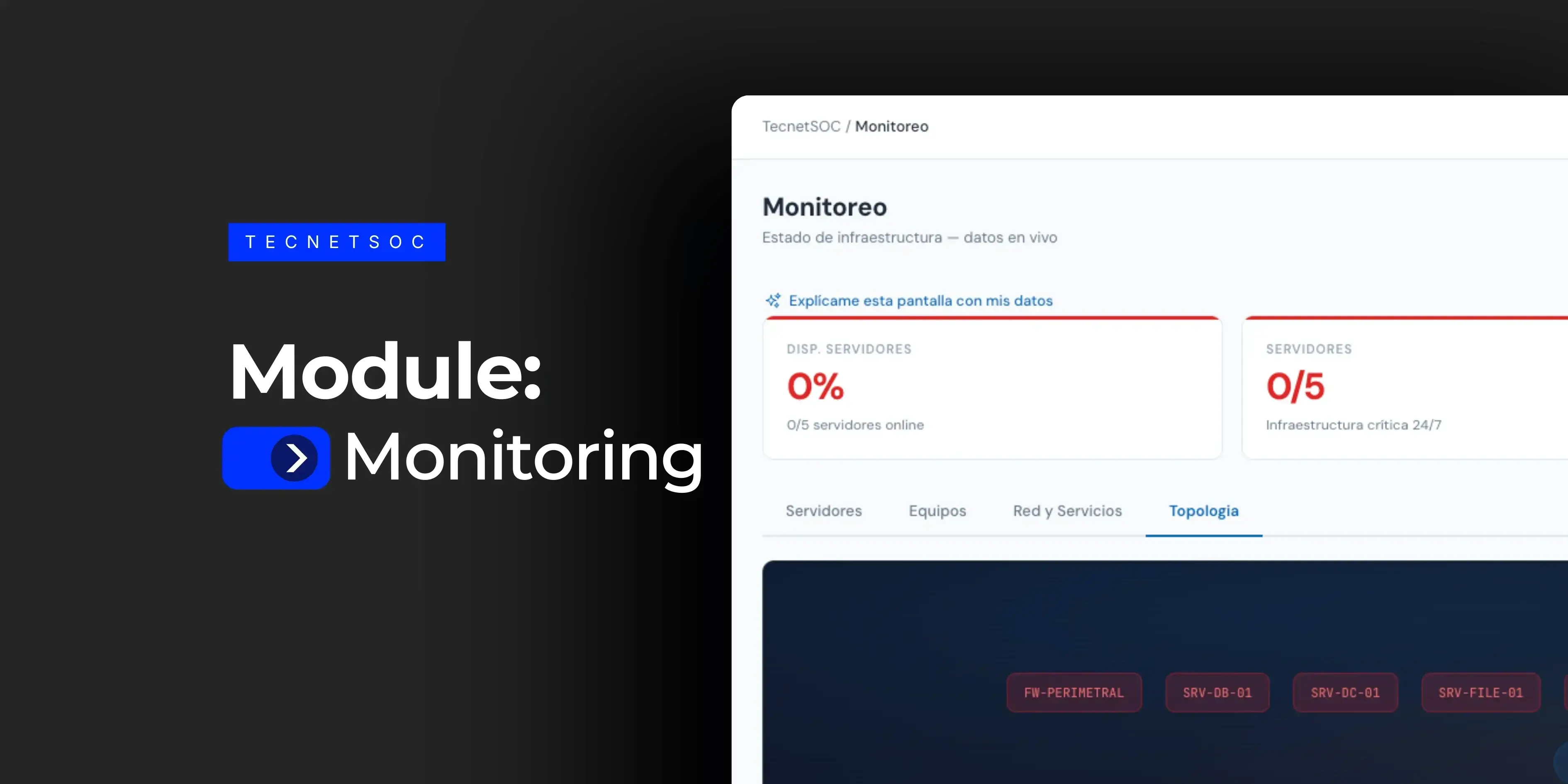
Numbers alone do not always convey the size of a problem, so the module includes a visual topology of the entire network, where every monitored device is shown graphically with its connection status reflected in real time.
This view is especially useful when the problem is a pattern across devices: several machines on the same subnet starting to drop at the same time, for example, which points to an underlying connectivity failure. Seeing that pattern at a glance, instead of rebuilding it table by table, is the difference between diagnosing in seconds and diagnosing in half an hour.
5. Automatic agent recovery: the operational differentiator
This is probably the module's feature with the biggest quiet impact. The monitoring agents installed on each device can stop for everyday reasons such as a software update, a botched restart or a resource conflict, and the real problem is not that they stop but that traditionally nobody notices until it is too late.
TecnetSOC periodically checks the devices with an active plan and, if it detects that the monitoring agent has stopped, automatically sends an instruction to restart it, with no intervention needed from the technical team or the customer.
That way, monitoring coverage never drops silently: the system manages itself through common failures, even during maintenance windows or routine updates.
For continuity audits or certifications such as ISO 27001, this capability is concrete assurance that visibility does not depend on someone remembering to check it manually.
On your side as a user, the only requirements are keeping the TecnetSOC agent active on each device and classifying it correctly in the portal (server, workstation or mobile). This module covers on-premises infrastructure through RMM (remote monitoring and management); monitoring of public cloud infrastructure such as Azure, AWS or GCP is handled separately.
Why this matters for your operation
24/7 IT infrastructure monitoring is the foundation every managed cybersecurity strategy rests on. Without continuous visibility into servers, devices and network, even the best detection and response tools arrive late, because they react to an incident that has already escalated instead of catching it while it was still a minor anomaly.
This module fits naturally with the rest of the TecnetSOC ecosystem. The TecnetSOC Recommendation Engine uses the health signals generated here to prioritize what to address first, while the Endpoint Protection module strengthens the protection of each device once we know it is active and communicating.
Monitoring closes the loop: you know what you have, what state it is in and how quickly the system reacts when something changes.
How to get started with the 24/7 Monitoring module
If you are already a TecnetSOC customer, the Monitoring module is available in your portal: there you can check the real-time status of your servers, devices and network, review the full topology of your infrastructure and see when each device last checked in, without relying on someone to report it manually.
If you are not a customer yet, here is the question worth asking: how much time passes between a server failing and someone on your team finding out? If you are not happy with the answer, a TecnetOne specialist can review with you, in just 30 minutes, where your visibility stands today.

I'm passionate about SEO and copywriting at TecnetOne, where I combine my technical knowledge with optimization skills and persuasive writing. I use advanced tools and techniques to boost companies' online visibility, making sure they stay at the forefront of technology and achieve outstanding results in a competitive digital landscape. My goal is to build effective strategies that drive our clients' technological and commercial success.