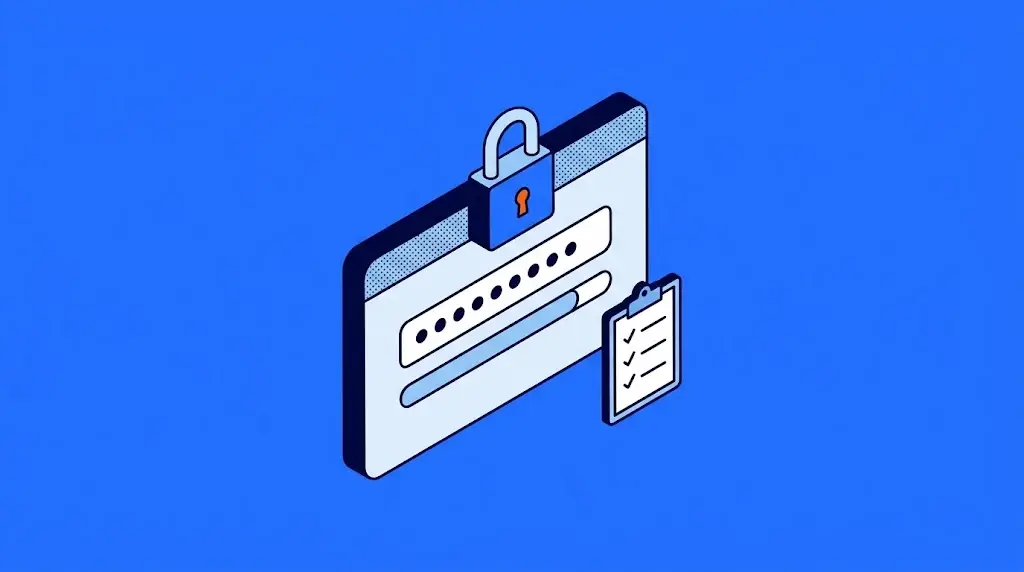
A strong password is one that is hard for a person to guess and hard for an automated program to crack: it is long (15 characters or more when it is the only thing protecting the account), unique to each service, absent from lists of leaked passwords and free of personal details such as names or dates. In a company, it is also paired with a second authentication factor and governed by written rules: the password policy.
Length matters more than symbols. A passphrase of four random words, such as "lamp cloud screw mango", holds up far better than "P@ssw0rd1", which meets every complexity rule and shows up in every list of leaked passwords.
What makes a password strong
A good office key is hard to copy, every door has its own, nobody leaves it in the lock, and the most important areas also require a badge. Passwords follow the same rules:
| Trait | Why it matters | With keys |
|---|---|---|
| Long | Each extra character multiplies the combinations a program has to try. | A key with more teeth. |
| Unique to each service | If one leaks, it does not open your other accounts. | A different key for every door. |
| Not on leaked lists | Attackers start with the passwords already circulating online. | A key nobody else has on their key ring. |
| No personal details | Names, dates and the company name can be guessed with a quick social media search. | A key without the office number engraved on it. |
A common scenario: a sales rep uses the same password for company email and for an online store. The store suffers a breach, the password ends up on a public list, and someone tries it on the corporate mailbox. Nobody had to guess anything; it was enough that one key opened two doors.
How to create a strong password
Four rules are enough for any employee to create a password that holds up, without memorizing impossible combinations:
- Use a passphrase. Four or five random words with no connection to each other. It is easy to remember and very hard to guess.
- Make it long. Aim for 15 characters or more. Symbols and capital letters add little when the password is short.
- One password per account. Never reuse your work email password on another service. A password manager, covered below, means you do not have to remember them all.
- Turn on a second factor. If the password leaks, the second factor keeps the door locked.
These are the most common mistakes, even though they look like good passwords at first glance:
| Password | Why it fails |
|---|---|
| Company2026! | Company name plus the year: it is the first thing attackers try. |
| P@ssw0rd1 | Swapping letters for symbols is a well-known trick; it is already on leaked lists. |
| John1985 | A first name and birth year, visible on any profile. |
| qwerty123 | It follows the keyboard layout and can be cracked in seconds. |
One obvious but necessary warning: do not use the examples in this article, because they are now public.
Password policy requirements
A password policy is the document that turns those good practices into rules for the whole company, together with the settings that enforce them in your systems. The most widely used reference is NIST's digital identity guideline SP 800-63B (NIST is the US National Institute of Standards and Technology), updated in August 2025. These are its main requirements:
| Requirement | What to require |
|---|---|
| Minimum length | 15 characters if the password is the only protection; 8 if the account also requires a second factor. |
| Maximum length | Allow at least 64 characters, so passphrases fit. |
| Blocklist | Check every new password against lists of common and leaked passwords, and reject any that appear. |
| Changes | Only when there are signs the password has leaked, never on a fixed schedule. |
| Password managers | Allow them, along with the ability to paste passwords. |
On top of that baseline, two rules of your own are worth adding. Administrator accounts get a password different from the one used day to day, and always a second factor. And when an employee leaves the company, their access is shut off the same day. Both are part of a broader permissions framework that we cover in our guide to access controls.
The policy also covers devices as well as people. Routers, cameras, printers and servers ship with factory passwords that must be changed before they are connected, one of the first tasks in system hardening.
What is no longer recommended
For years, password policies required uppercase letters, numbers and symbols, plus a change every 90 days. NIST's current guidance explicitly prohibits both practices. The reason is how people react: faced with an inconvenient rule, they look for the most predictable shortcut.
- Mandatory composition rules. They produce passwords like "Summer2026!", which tick every box and are easy to guess. Length protects more.
- Forced changes on a schedule. Someone who has to change their password every quarter tends to go from "March2026" to "June2026". Changing the lock every three months is pointless if the new key looks like the old one; what does help is changing it the day someone loses a copy.
- Security questions and hints. The name of your first pet or your elementary school is often on social media. NIST no longer allows asking for them when a password is created.
Password managers and MFA in the company
With a different password for every service, nobody can remember them all. A password manager solves that problem: it is a program that generates long passwords, stores them encrypted and fills them in for the employee, who only has to remember one master passphrase. The business version adds shared vaults by department and lets you revoke access to every account when someone leaves the company.
The second lock is MFA (multi-factor authentication): besides the password, the system asks for something you have, such as an app on your phone or a physical key, or something you are, such as your fingerprint. It is the badge from the analogy: even if someone copies the key, they cannot get in without it.
To roll it out without slowing down operations, this order works well:
- Write the policy on a single page. Minimum length, blocklist, when a password gets changed and which accounts require a second factor.
- Configure it in your user directory, so the system enforces it and it does not depend on each person's memory.
- Turn on MFA by priority: administrators, email and remote access first, then everyone else. If you already keep a risk register, use it to set the order, as we explain in cybersecurity risk management.
- Provide a password manager to the teams that handle the most accounts, such as finance, IT and sales.

Frequently asked questions about strong passwords and password policy
It means that guessing or cracking it would take so much time that it is not worth trying. In practice, you get there with length, a different password for each service and a second factor that protects the account even if the password leaks.
Only if the account also requires a second factor. NIST sets 8 characters as the minimum for passwords used together with MFA, and 15 when the password is the only protection. An 8-character password on its own is relatively easy to crack.
It is a password that combines letters and numbers, such as "house2468". Mixing character types helps little if the password is short; a long phrase of random words protects better than a brief mix of letters, numbers and symbols.
For personal use it beats reusing passwords, but a company is better served by a business password manager: it lets you share access by department, requires a master passphrase with a second factor and lets you revoke all access when an employee leaves.
Change it right away, end any open sessions for that account, review what was done with it over the last few days and turn on the second factor if it was not already active. To find out in time, some services monitor the deep web and dark web for your company's credentials, such as our managed cybersecurity services.
It depends on your industry and your customers. ISO 27001 requires controls over authentication information; PCI DSS, the standard for companies that process card payments, requires passwords of at least 12 characters; and frameworks such as SOC 2 and the HIPAA Security Rule expect access controls as part of protecting sensitive data. Even if no standard requires it, it is usually the first thing a corporate customer or an insurer checks.

I'm passionate about SEO and copywriting at TecnetOne, where I combine my technical knowledge with optimization skills and persuasive writing. I use advanced tools and techniques to boost companies' online visibility, making sure they stay at the forefront of technology and achieve outstanding results in a competitive digital landscape. My goal is to build effective strategies that drive our clients' technological and commercial success.